Robotics
Best DIY Robotics Kits for Kids in 2026: An Honest, Age-by-Age Buying Guide
Compare the best DIY robotics kits for kids in 2026 by age, price and skill level, and find out why a kit alone may not be enough to build real robotics skills.
10 min read
- Robotics
- STEM Kits
- Buying Guide
On this page
Every year around this time, thousands of Indian parents open a shopping app or a robotics brand's website and type the same three words: "best robotics kit." What they usually get back is fifty tabs, forty different price tags, and zero clarity. Some kits promise AI. Others promise "50+ projects." A few just promise that a child will love it. Almost none of them tell you the one thing that actually matters: what happens after the box is opened.
This guide is built differently. It draws on years of experience training children aged 8 to 18 across 1,800+ partner schools and Young Engineers' Academy centres, watching which kits keep kids building past week two and which ones quietly end up in a cupboard by month two. Below is an honest, age-by-age comparison of the robotics kits Indian parents ask about most in 2026, a simple framework for choosing the right one, and the one question almost nobody asks before buying: does a kit alone teach robotics, or does a child need more?
Let's get into it.
Why Robotics Kits Matter More Than Ever in 2026
Children today grow up surrounded by automation, from motion-sensing doors and robotic vacuum cleaners to voice assistants and AI tools at school. Using this technology, though, is not the same as understanding it. A robotics kit is one of the few tools that turns a child from a passive user of technology into someone who can open it up, ask how it works, and build something of their own.
This shift is showing up in classrooms too. CBSE and ICSE schools have been steadily expanding Computational Thinking, AI, and Skill Education modules into the regular curriculum, which means hands-on robotics experience at home now directly supports what many children are already learning in school, rather than sitting apart from it.
How This Guide Evaluated Each Kit
Rather than ranking kits purely on box contents or marketing claims, each one was assessed against the criteria that actually predict whether a child keeps using it:
- Age-appropriateness of the coding method (screen-free, block, or text-based)
- Depth and quality of sensors, motors, and other hardware
- Whether the kit expands into new projects or ends after a fixed set of builds
- Safety of components and materials for the stated age group
- Relevance of the projects to real-world problem solving, not just novelty
- Price-to-learning value, not just sticker price
- Availability of guidance, whether video tutorials, community support, or a mentor
Quick Comparison: Best Robotics Kits for Kids in 2026
Prices below are approximate street prices in India and vary by seller and bundle; always check the latest listing before buying.
| Kit Type | Best Age | Coding Style | Approx. Price (INR) | Best For |
|---|---|---|---|---|
| Screen-free logic kit (e.g. Cubetto-style) | 4–7 | No screen, physical blocks | ₹10,000–13,000 | First introduction to sequencing |
| Button/card-based robot toy | 4–7 | Screen-free, card commands | ₹3,000–5,000 | Budget-friendly first robot |
| Block-coding robot (e.g. mBot-style) | 8–12 | Scratch-style blocks | ₹6,000–10,000 | First real robot build + coding |
| LEGO-based STEM kit (SPIKE-style) | 8–14 | Blocks, some Python | ₹15,000–30,000+ | Kids who love LEGO building |
| AI/vision robotics kit (Quarky-style) | 8–14 | Blocks + AI features | ₹8,000–15,000 | Computer vision & AI projects |
| Arduino starter kit (generic) | 12–18 | C/C++ text coding | ₹3,000–6,000 | Understanding electronics basics |
| Autobotix by RoboKidz (course + kit) | 8–18 | Arduino, guided progression | Fee spread across 5 levels | Kids who want mentorship, not just a box |
Best Robotics Kits for Kids, by Age Group
Ages 4 to 7: Screen-Free Starter Kits
At this age, the goal is sequencing, not syntax. Wooden or button-based robots that respond to physical commands teach cause and effect without requiring a child to read instructions. Sessions should stay short (10–15 minutes), rewards should be immediate, and the robot should react visibly, with sound, light, or movement, so a young child sees the direct result of their choices.
Ages 6 to 10: Block-Coding Robot Kits
This is the sweet spot for drag-and-drop, Scratch-style block coding paired with a robot children assemble themselves. Kids this age can follow multi-step build instructions and are ready for their first sensors, such as line-following or basic infrared. A good kit at this stage should deliver a working robot within the first one or two sessions to build early confidence.
Ages 10 to 13: Sensor-Based STEM Kits
Children in this range are ready for multiple sensors working together (ultrasonic, colour, sound), and some kits introduce AI or computer vision features. This is also the age where a kit's limitations start to show. A child who has built every project in the box within a month needs a next challenge, or interest tends to fade fast.
Ages 13 to 18: Arduino and Advanced Robotics Kits
Teenagers ready for text-based coding benefit from real Arduino kits, breadboards, and C/C++ programming. This stage builds the foundation for embedded systems and electronics engineering, and gives older students genuine project material for competitions, portfolios, or college applications.
The Question Most Parents Miss: Kit vs. Guided Course
Ask in any parenting group about robotics kits, and the same story repeats. A child is excited on day one, finishes the first two or three projects over a weekend, and then the kit sits untouched because there is no one to ask when the code does not work, and no clear next challenge once the manual runs out.
A kit, by itself, cannot provide a structured path across skill levels, real-time troubleshooting, deadlines that build momentum, or a peer environment. These are the exact ingredients that turn a one-off purchase into a lasting interest, and they are almost never included in the box.
What a Good Kit Should Include
- Real components, not toy-grade plastic that wears out after a few uses
- A clear path from beginner to advanced projects, not a single fixed set
- Sensors that increase in complexity as skills grow
- Safety-tested parts appropriate for the stated age group
- Some form of structured guidance, whether tutorials, a community, or a mentor
Why Structured Mentorship Beats a Kit Sitting in a Cupboard
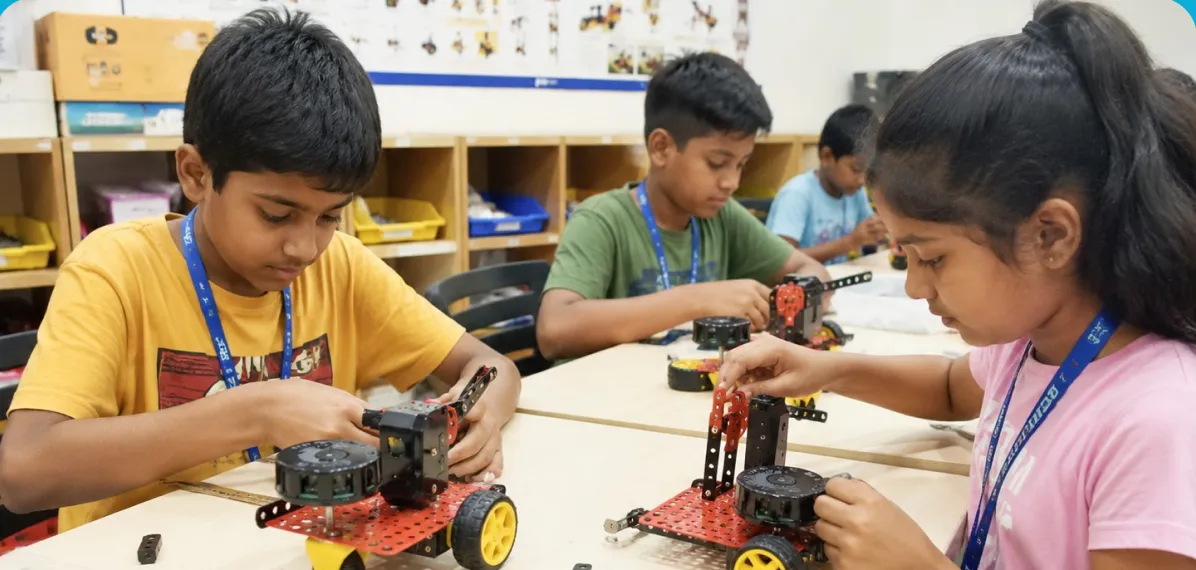
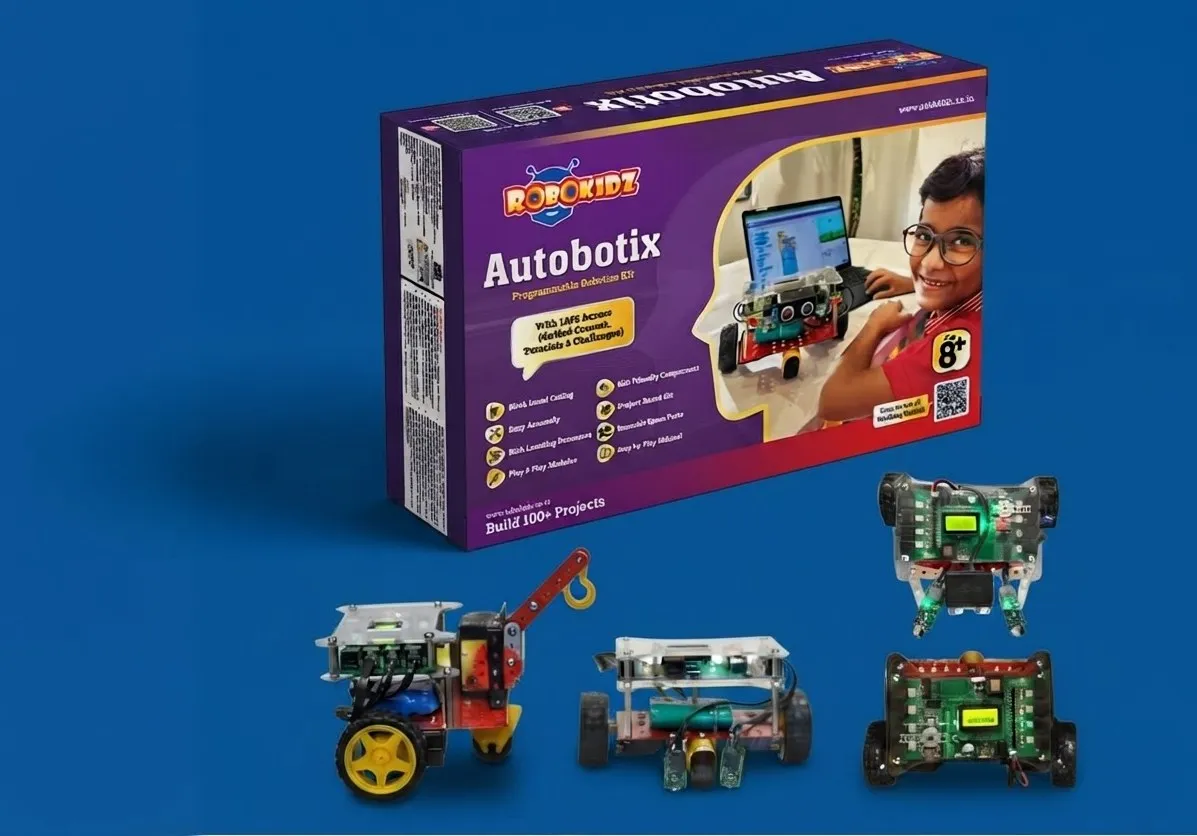
This is precisely the gap Autobotix by RoboKidz was designed to close. Instead of a single box with a fixed set of projects, Autobotix is a 50-session, Arduino-based robotics course delivered at Young Engineers' Academy centres across five structured levels, from a child's first blinking LED through to a complete colour-sorting robotic arm. The kit is provided in class, sessions run in small batches, and a mentor is present throughout, so a child never hits a wall with no one to ask.
How to Choose the Right Robotics Kit for Your Child
- Match the kit to your child's actual age and reading level, not an aspirational one
- Check whether coding is screen-free, block-based, or text-based, and whether that matches readiness
- Look at expandability: does the kit offer 5 projects or 50?
- Check hardware quality; plastic gears and cheap sensors wear out quickly
- Confirm what support exists if your child gets stuck: tutorials, forums, or a real mentor
- Budget for the full journey, not just the first purchase
- Ask directly: what happens once this kit's projects are finished?
Common Mistakes Parents Make When Buying Robotics Kits
- Choosing a kit based on an impressive-looking box rather than the depth of its learning path
- Picking a kit above a child's current coding readiness, which leads to frustration and abandonment
- Ignoring after-sales support, so a single broken sensor ends the whole kit's usefulness
- Assuming any coding toy is a true robotics kit, when many are simply remote-control toys with an app
- Not planning for the "cupboard problem": no clear next step once the included projects are done
- Ruling out mentor-led courses as "too expensive" without comparing the per-session value against a kit that stops being used after a month
Robotics Kit vs. Robotics Course: Which Should You Choose?
| Factor | Standalone Kit | Guided Course (e.g. Autobotix) |
|---|---|---|
| Upfront cost | Lower, one-time purchase | Spread across structured levels |
| Learning path | Self-guided; can stall quickly | 5 structured levels, 50 sessions |
| Support when stuck | Manuals or online forums only | A mentor present in every session |
| Peer environment | None | Small batch, peer learning |
| Project variety | Fixed set inside the box | 100+ projects across levels |
| Best for | A first taste of robotics at home | A child showing sustained interest |
For most families, the two are not competitors but stages. A screen-free or block-coding kit at home is a great way to test a younger child's interest. Once that interest is confirmed, a structured course like Autobotix, ages 6 to 18, gives it somewhere real to grow.
Frequently Asked Questions
What age should a child start learning robotics?
Most children are ready to begin around age 6 to 8 with screen-free or block-coding kits. By age 6, many kids can also start grasping basic Arduino concepts such as loops and simple sensors with guidance.
Is a robotics kit alone enough for my child to learn robotics?
A kit is a strong starting point, but most children need structured guidance beyond the first few projects. Without a clear next-level path or someone to ask when things go wrong, motivation typically fades once the novelty wears off.
Which robotics kit is best for a complete beginner?
For true beginners aged 6 to 12, block-coding kits with pre-tested sensors and simple assembly work best. Look for a kit that delivers a quick win in the very first session, since early success is what keeps a child coming back.
Do robotics kits actually teach coding, or just assembly?
It depends on the kit. Basic remote-control toys teach mostly assembly. True robotics kits combine building with programming, moving from block coding toward text-based languages like C++ or Python, so children learn both hardware and logic.
How much should I spend on a robotics kit for my child?
Budget screen-free options start around ₹3,000–5,000, while sensor-rich STEM kits range from ₹8,000–25,000. Structured courses that bundle in the kit and mentorship, like Autobotix, spread this cost across guided levels instead of one large upfront purchase.
Are Arduino-based kits too advanced for a 10-year-old?
Not necessarily. With the right guidance, children as young as 6 can grasp Arduino basics like LEDs, loops, and simple sensors. The key is starting with foundational concepts before moving on to full breadboard circuits.
What is the difference between a STEM toy and a robotics kit?
A STEM toy usually offers a single, fixed experience, such as a pre-programmed pet robot. A true robotics kit lets a child build, code, and reconfigure the robot for multiple different projects, which builds deeper engineering understanding over time.
Can a robotics kit help with school projects or CBSE requirements?
Yes. Many CBSE and ICSE schools now include Computational Thinking, AI, and Skill Education modules. Hands-on robotics experience directly supports concepts like sequencing, sensors, and logic already being taught in these subjects.
What happens after my child finishes a starter kit?
This is where many families get stuck. If the kit offers no next level, parents often end up buying an add-on kit, an entirely new kit, or a structured course that continues the journey, such as Autobotix's five-level path.
Is a kit included when I enrol my child in RoboKidz's Autobotix course?
Yes. The Autobotix kit is provided in class as part of the guided, 50-session programme, so there is no separate device to buy before your child starts building.
Conclusion
There is no single "best" robotics kit, only the best kit for a specific child's age, interests, and how much guidance they will get along the way. A screen-free kit can spark curiosity in a five-year-old; an Arduino kit can turn a curious teenager into a genuine builder. But the real differentiator, the thing that decides whether a robotics kit becomes a lasting interest or a forgotten box in a cupboard, is what happens after the first few projects.
That is exactly the gap Autobotix by RoboKidz was built to close: real Arduino robotics, 100+ projects, five structured levels, and a mentor in the room for all 50 sessions, for children aged 6 to 18.
Ready to see the difference mentorship makes? Book a free demo class at your nearest Young Engineers' Academy centre and let your child build their first real robot before deciding on anything else.
Book a Free Demo